WeChat Channels, which was released for beta testing in early 2020, is a relatively new short and largely untapped video platform within WeChat that allows users to produce and share short video clips and photographs to their own WeChat Channel.
The WeChat Channels feed also allows users to discover information posted to other Channels (by their friends and other WeChat accounts). Here’s our Beginners Guide to WeChat Channels if you want a shorter version or TL: DR one
WeChat Channels, with over 200 million MAUs (Monthly Active Users), are becoming an increasingly essential touchpoint for marketers in China. They greatly aid in brand discovery because the content is displayed to all users rather than just followers, as is the case with articles on official accounts. With fully open content dissemination and adoption of hashtags, content is discovered in a whole new way on WeChat. Compared to official accounts where updates are only visible to followers, this is truly a gamechanger.
What Are Some of the Advantages of WeChat Channels?
Channels provide numerous options to promote your brand by encouraging people to share with their friends or in their Moments. Viewers can like and comment on the post, as well as on the remarks of others. Channels content liked by your contacts will be automatically shown to you in the tab ‘Liked by friends’ and they will see content liked by you too (unless you change your privacy settings).
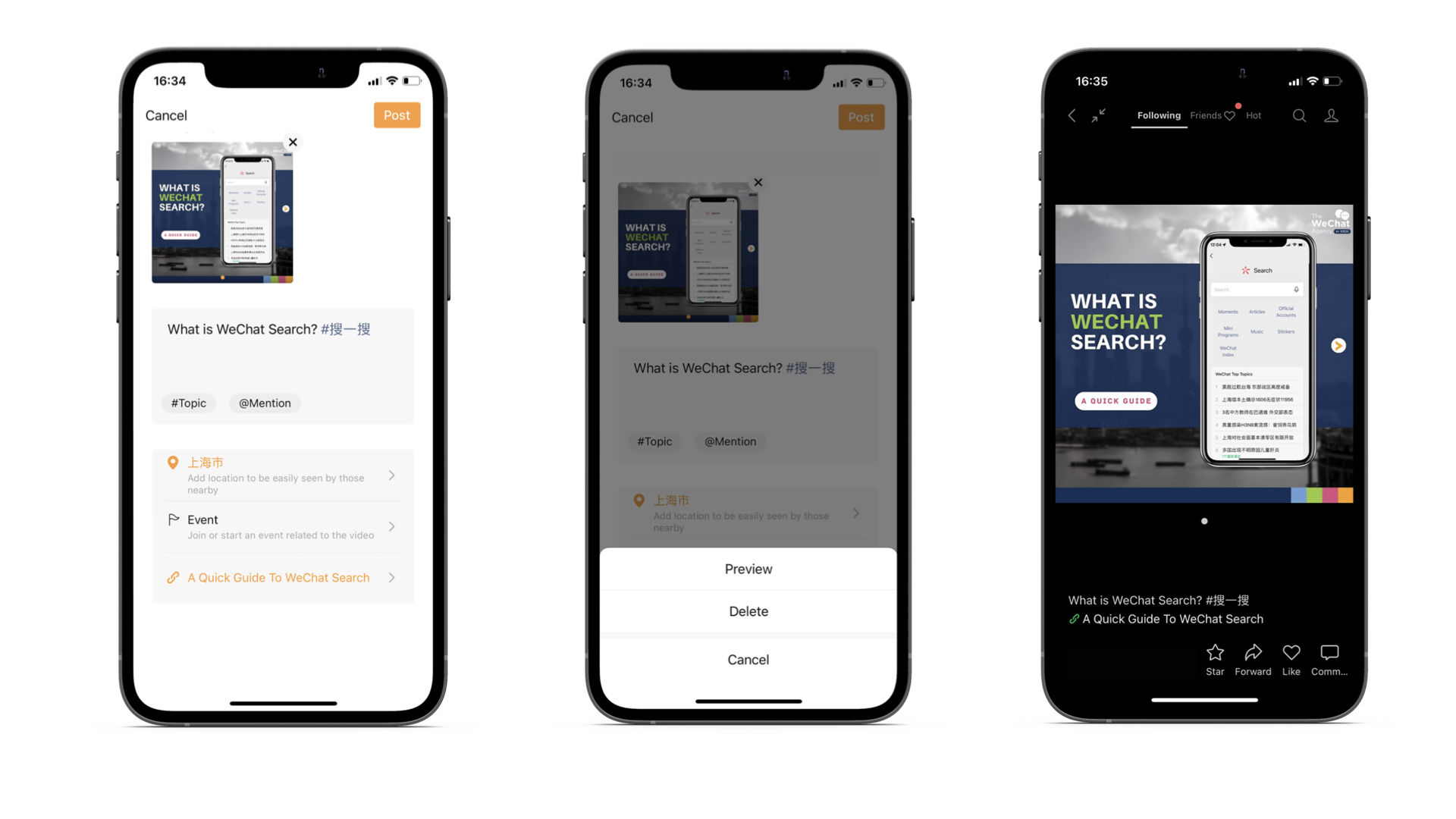
Each WeChat Channel post may have the following elements:
- A short description
- A number of relevant, popular, branded and contextual hashtags
- A location tag
- A link to an article on WeChat Official Account or a red packet
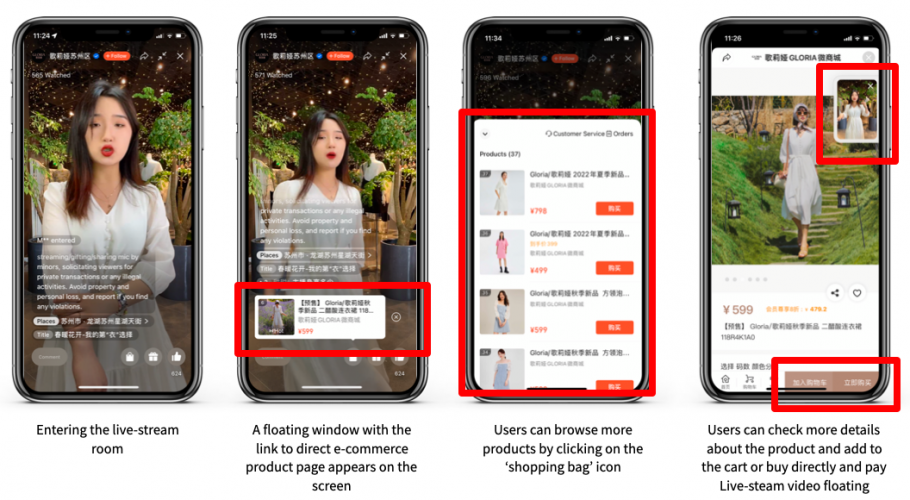
- A link to an online event (live streaming)
Trending Content on WeChat Channels
The most popular WeChat channel content is very similar to that found on Douyin or TikTok. It is viral in nature and is driven by trends and hashtags such as dancing challenges, lip-sync skits, memes, and fashion and food-related videos.
However, Channels are also a great brand discovery tool for B2B brands with a much more mature audience that uses WeChat on a daily basis for professional communication – educational content and news are among the top content. That’s why visual and video professional content has much higher chances to resonate on WeChat compared to other short video platforms.
According to the Weixin Class pro, Tencent will pay even more emphasis on Channels in the coming months, and there are already some modifications in the works, such as the addition of WeChat’s own services menus.
Read about WeChat Class PRO 2022 (WeChat creator’s annual competition)
A Step-by-Step Guide to Creating Channels on WeChat
Step 1: Open your WeChat account.
To begin, log in to your personal WeChat account using the WeChat app.
Even if you have an Official Account on WeChat, Channels must first be launched by personal accounts before they can be linked to brands.
Pro tip: Before you start, keep in mind that if you want to link between your Official Account and Channel account (these two are not automatically connected), the admin of the OA and Channel account must be the same.
Step 2: Proceed to the WeChat Channels tab.
Once you’ve logged into your personal account, go to the main navigation bar and click on the ‘Discover’ button, then select ‘WeChat Channels.’ This will take you to the WeChat Channels feed.
Step 3: Select the camera icon in the upper right corner.
You should see a small camera icon in the upper right corner of the WeChat Channels feed – click on it, and then the ‘new channel’ option appears.
Step 4: Complete your WeChat Channel profile.
You will then be prompted to submit the following information:
- Name (use your brand name)
- Bio
- Gender
- Location
Fill these in and click ‘create’.
Next steps: As a next step you might want to connect your official account with the newly created Channels account and apply for verification (blue tick).
Posting on WeChat Channels
Today, we’ll go through how to post on channels to get the most out of your efforts.
There are two methods for posting to Channels.
- One from the mobile (for brands account only for the admin mobile)
- One from the computer (operators can be added in the backend)
Apart from a number of video editing capabilities that are useful for on-the-go artists (adding music, cropping video), both offer the same options for post-production optimization.
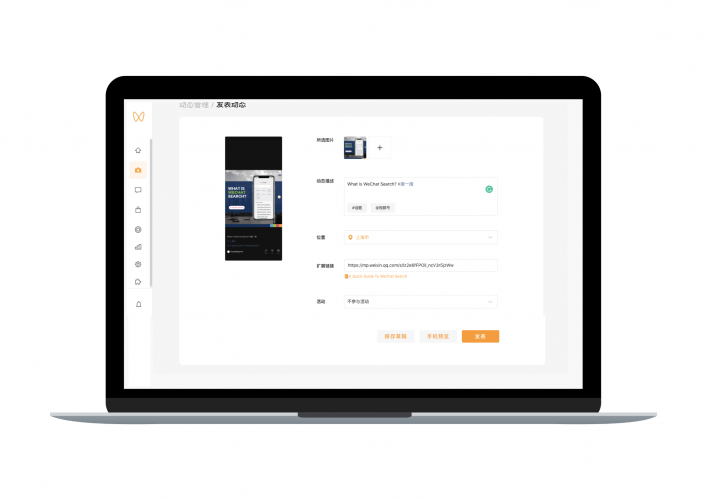
WeChat Channels Backend View
WeChat Channels Content Types – Formats
What goes into a post on a WeChat Channel?
- Up to 9 images can be uploaded.
- Videos can be up to one hour long, 2GB in size, and in mp4 format.
Pictures function similarly to Instagram carousel posts, but video footage can be preferred by the algorithm. So, if you have a few photos, you can try to edit them into a film to get better results.
When it comes to videos, bear in mind that the attention span on WeChat is relatively short, so while you can publish extended movies, try to make them brief and relevant.
Choose a vertical format whenever possible! Users usually check WeChat Channels on mobile devices, therefore horizontal may not be attractive for viewers.
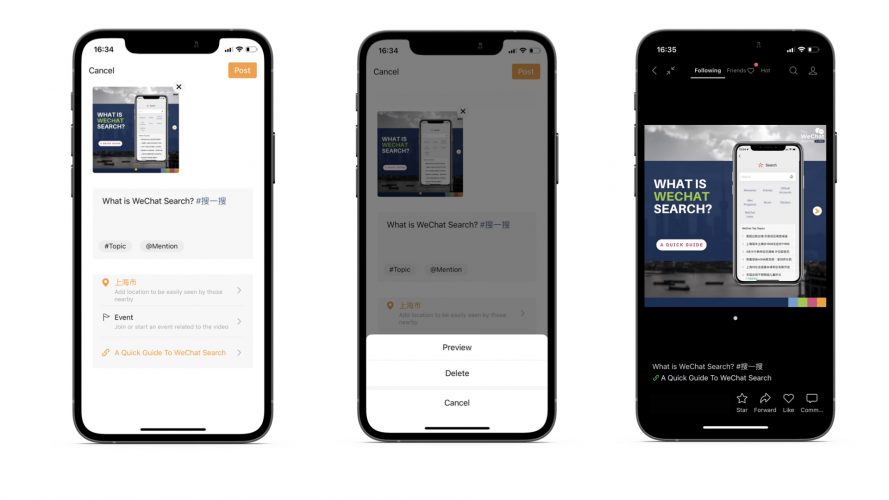
Tips to Optimize Post Description
- Length – Keep it brief and to the point, just like you would for Instagram. Keep in mind that only the first few lines of our copy will display, therefore hook.
- Hashtags – will help to increase your visibility, but Channels are not entirely hashtag-driven platforms. Concentrate on a few well-chosen hashtags, such as your business name, campaign topic, or broad topic. Put the hashtags at the beginning or end of the copy.
- Mentions – In your post, you can tag the accounts of other Channels. Excellent for collaboration.
- Location – you can include it to boost exposure, but it’s optional.
- Link – From an official account or a red cover, you can link to an article. To find your article link, open it in WeChat and click (…) in the upper right corner, then ‘copy link.’ Use this feature to direct traffic to your official account.
- Activity – you can add a link to a live-streaming event
- Time of publication – You can schedule your post or publish it immediately.
Conclusion
Short video content has become the latest trend in China and is growing at an astonishing speed. It is reported that the number of short video users has reached 920 million by end of 2021.*
WeChat has been pushing users to make and watch videos on WeChat Channels, so it may see increased traffic in the near future. If you wish to know more about WeChat channels or need assistance in optimising your WeChat account, please contact our team. We use our knowledge and expertise to help businesses build meaningful partnerships and develop their network among Chinese customers. For additional information, please contact at contact@thewechatagency.com.