5
min read

Tong

TL;DR
Creating a Rednote account is free and only takes a few minutes.
You can sign up using your phone number or supported third-party login methods.
Complete your profile to improve recommendations and account credibility.
Verify your account if you're a creator or business looking to build trust.
Rednote (also known as Xiaohongshu or RED) has rapidly become one of the world's fastest-growing lifestyle platforms. Originally built around product recommendations and shopping experiences, it has evolved into a social platform where users share travel guides, beauty tips, fashion inspiration, restaurant reviews, wellness routines, and everyday life.
Its recent international growth has attracted creators, brands, and users looking for new communities beyond traditional social media. Whether you want to discover trends, reach Chinese consumers, or build a personal brand, the first step is creating a Rednote account.
This guide explains how to make a Rednote account from anywhere in the world, how to complete your profile, verify your account, troubleshoot common registration issues, and optimize your profile for long-term growth.
What is Rednote and why is it gaining global traction?
Rednote is a lifestyle-focused social platform that combines elements of Instagram, Pinterest, online reviews, and e-commerce into one ecosystem. Users publish photos, short videos, written posts, shopping recommendations, and travel experiences, while brands use the platform to build communities and drive product discovery.
Unlike entertainment-first platforms, Rednote places greater emphasis on searchable content and authentic recommendations. Posts often continue generating traffic long after publication, making the platform valuable for creators and businesses alike.
For international users, Rednote has become increasingly attractive for several reasons. Consumers use it to discover Chinese brands and travel inspiration, while businesses see it as one of the best channels for reaching Chinese consumers before and during their purchasing journey.
Its growing global community has also made it easier for overseas creators to build audiences, particularly in beauty, fashion, food, luxury, travel, and lifestyle categories.
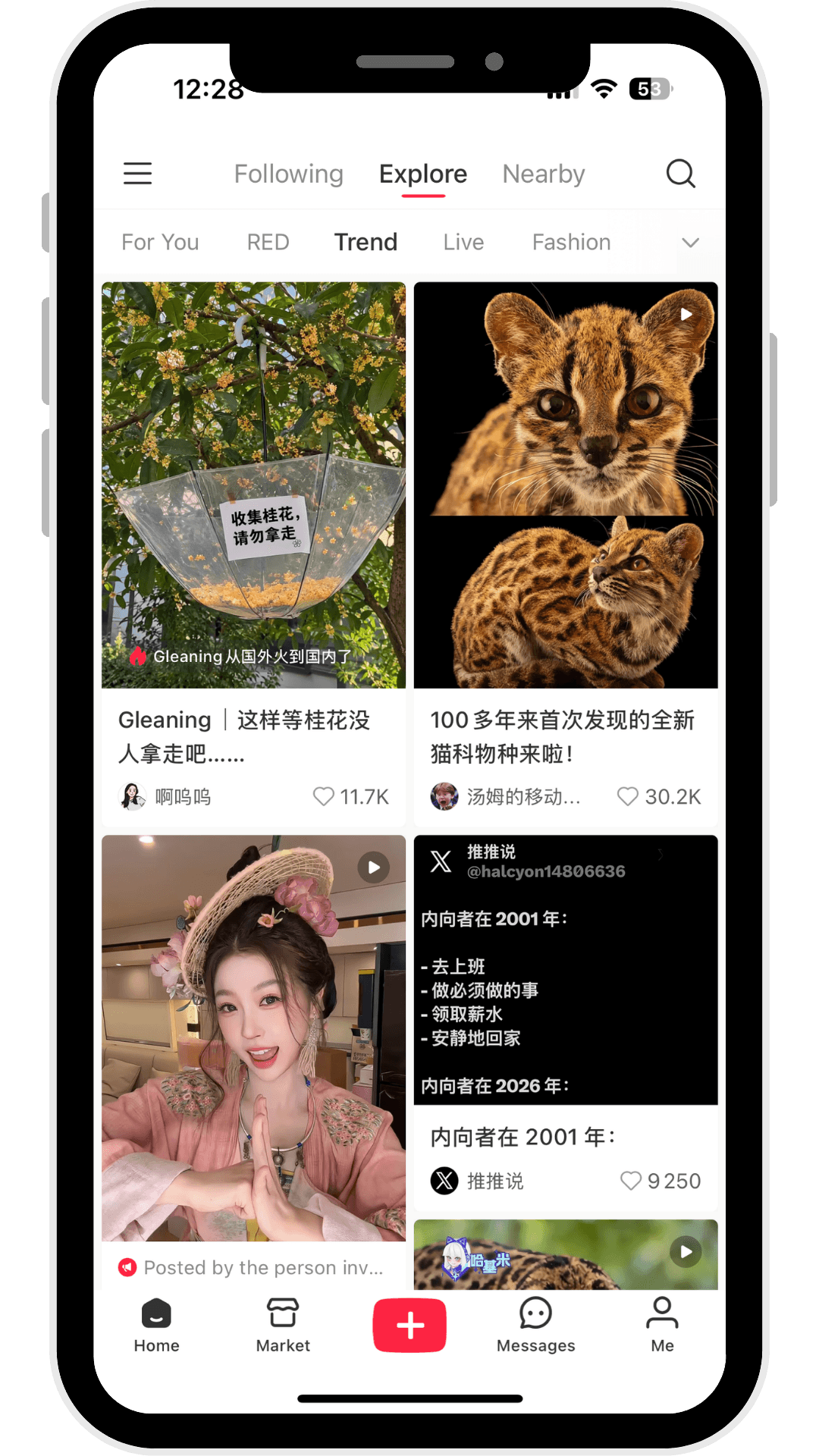
How to download and access Rednote
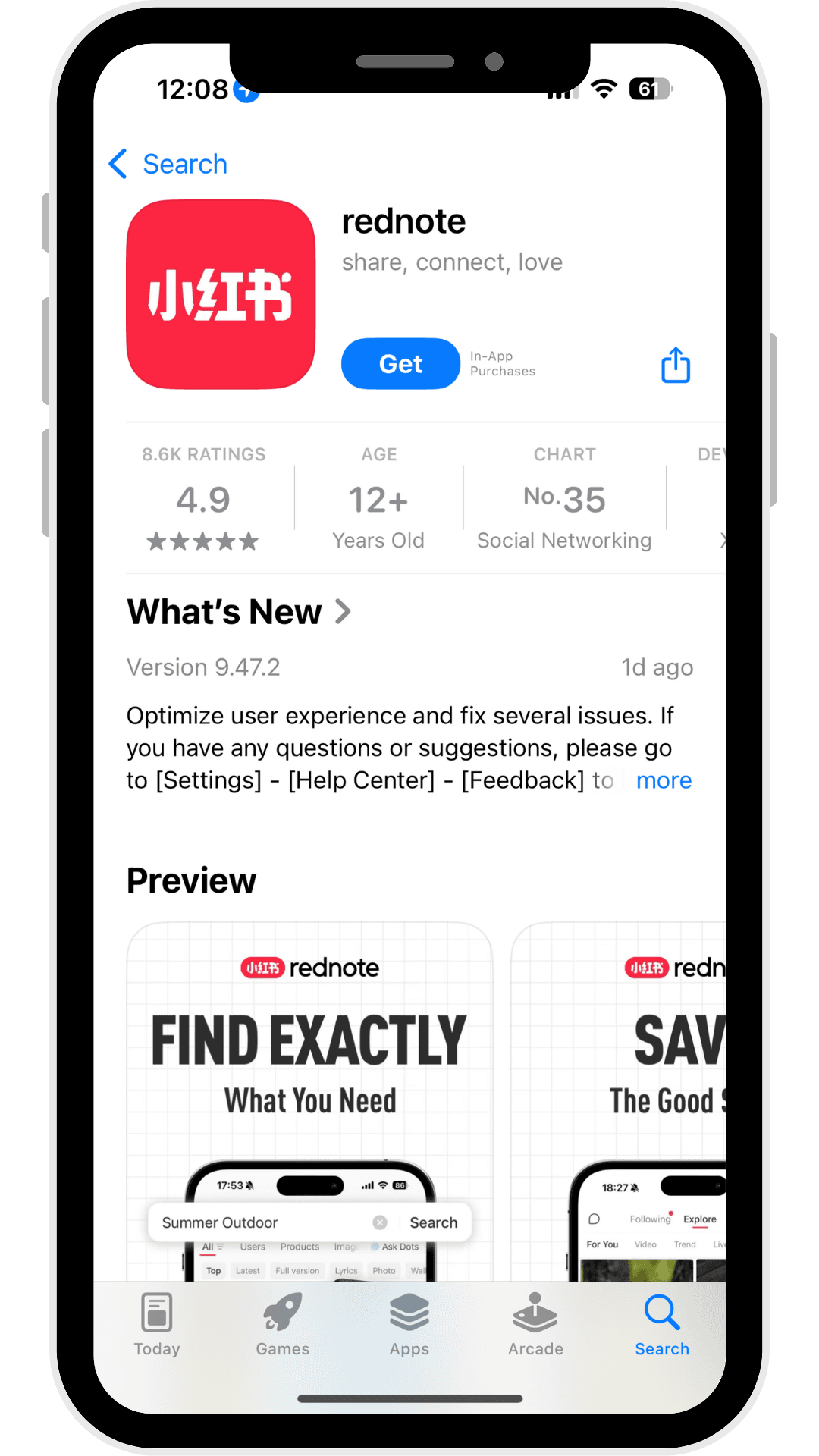
Before creating an account, you'll need to install the application.
Rednote is available on both the Apple App Store and Google Play Store in many countries. Users can also access certain features through the official website, although the mobile app provides the complete experience.
Depending on your region, you may notice slight differences between the international version and the Chinese version. Most international users can access the same core content-sharing features, while some commerce and payment functions remain focused on mainland China.
Before downloading, ensure your device is updated to the latest operating system and has a stable internet connection.
After launching the app for the first time, Rednote will request permissions such as notifications and media access. You may also be asked to select your preferred language or region. Although some menus are available in English, certain pages may still appear in Chinese depending on your location and the latest app version.
How to make a Rednote account: step-by-step guide
Creating a Rednote account only takes a few minutes. The registration process is similar to other social media platforms, although you may encounter an additional verification step depending on your region.
Begin by opening the Rednote app and accepting the user agreement and privacy policy. You'll then be prompted to choose a registration method.
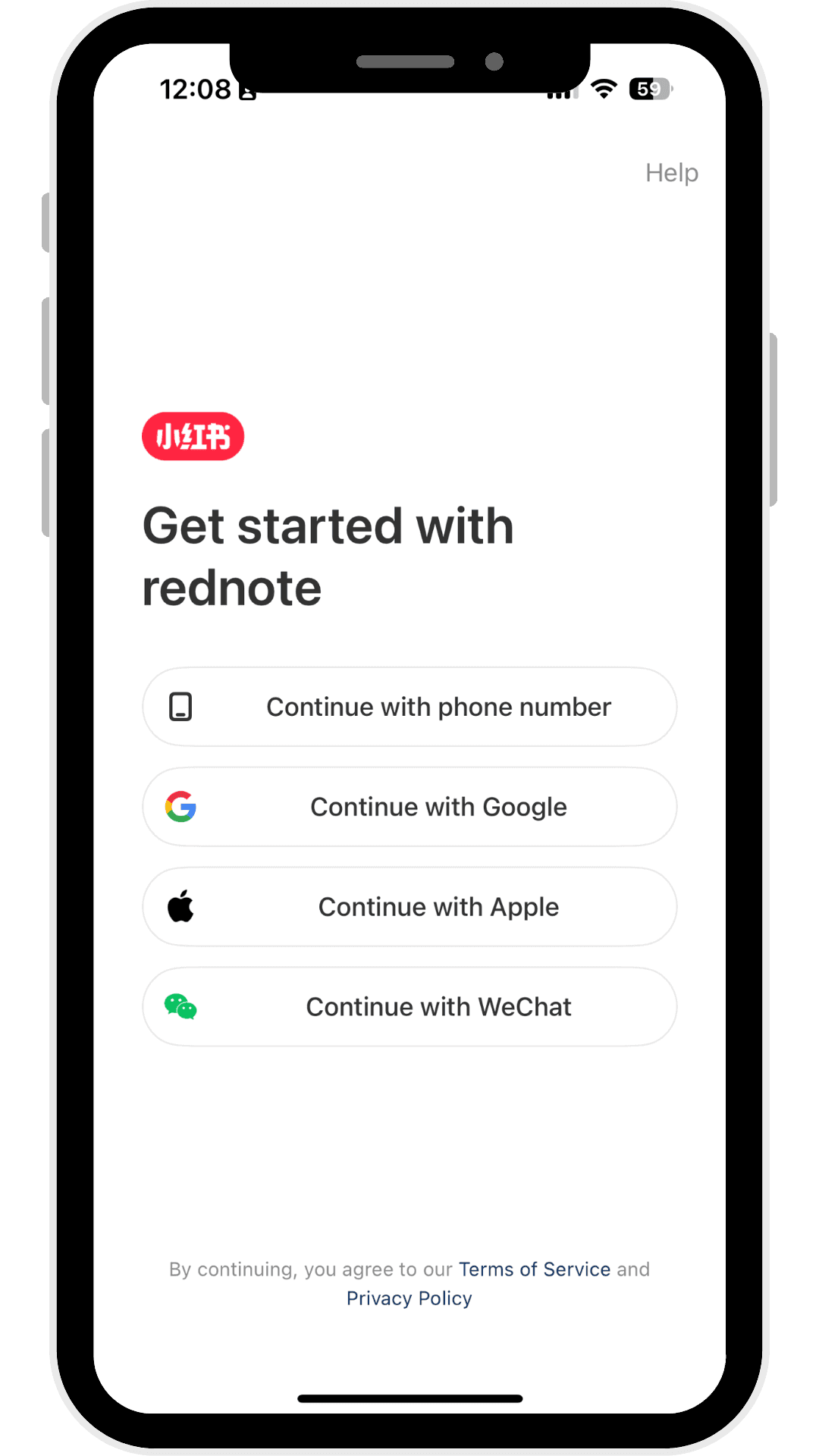
Most users register using a mobile phone number. Simply select your country code, enter your phone number, and request a verification code. Once received, enter the code to continue.

In some regions, Rednote also supports third-party sign-in options such as Apple ID or other supported services, depending on your device and location.
After verification, you'll create your basic account profile by choosing a username, uploading a profile picture, and creating a password if required. Businesses and professional creators may also be asked to provide additional profile information later during the verification process.
During onboarding, Rednote will ask about your interests, including topics such as fashion, travel, food, beauty, fitness, luxury, or technology. These selections help personalize your recommendation feed and improve the content shown on your homepage.
Once registration is complete, you can immediately begin browsing content, following creators, saving posts, and publishing your own Notes.
Troubleshooting verification and registration issues
Occasionally, users experience difficulties receiving verification codes or completing registration.
If your SMS verification code doesn't arrive, wait a few minutes before requesting another one. Ensure you've selected the correct country code and entered your number correctly. Switching between Wi-Fi and mobile data can also resolve temporary network issues.
Some overseas users may experience regional restrictions or temporary server congestion. In these situations, trying again later often resolves the issue.
If registration continues to fail, contact Rednote Support through the app or official website before attempting multiple repeated registrations, which could temporarily trigger security checks.
How to create and manage multiple Rednote accounts safely
Many creators, agencies, and brands operate multiple Rednote accounts for different purposes, such as separating personal content from commercial campaigns.
Although Rednote allows users to maintain multiple accounts, each profile should have its own registration credentials whenever possible. Using separate phone numbers or email addresses helps reduce account conflicts.
Businesses managing multiple creator accounts should also establish clear workflows, consistent branding, and secure login practices. Some professional teams use browser isolation tools to manage several accounts, but users should always follow Rednote's platform policies to avoid unnecessary account restrictions.
How to set up and verify your Rednote account
Creating an account is only the first step. A complete and well-optimized profile helps Rednote understand your interests, improves your recommendations, and builds credibility with other users. Whether you're using the platform for personal sharing or business marketing, investing a few minutes in your profile setup can significantly improve your experience.
Start by uploading a clear profile photo. Individuals should use a recognizable headshot or lifestyle image, while brands should use a high-resolution logo that matches their branding across other platforms.
Next, choose a username that is easy to remember and consistent with your identity on other social media channels. Consistency helps users recognize your brand and makes it easier to build trust across platforms.
Your bio should clearly explain who you are and what type of content users can expect. Instead of writing a generic description, include your niche, expertise, or interests. Businesses can also include a short value proposition or call-to-action that encourages users to explore their content.
During setup, Rednote will continue asking about your interests. These preferences play an important role in shaping your content recommendations. Selecting accurate categories allows the algorithm to deliver more relevant posts while helping your future content reach the right audience.
For creators, influencers, and businesses, Rednote also offers account verification. Verification increases credibility and unlocks additional features designed for professional users.
Depending on your account type, verification may require documents such as a passport, business registration certificate, authorization letter, or other supporting materials. Requirements can vary by region and account category.
Most verification requests are submitted through the mobile application, although some business functions can also be managed through desktop tools. Processing times and fees vary depending on the verification type and your country.
How to verify your account: individual and business options
If you plan to build a public presence on Rednote, verification is worth considering.
Individual creators typically verify their identity using personal identification documents. Businesses must usually submit company registration documents along with proof that they represent the organization.
After navigating to the verification section within your account settings, upload the required documentation and complete the application. Rednote will review your submission before approving or rejecting the request.
If verification is unsuccessful, you'll normally receive guidance explaining which documents need updating before submitting another application.
International users should ensure that all uploaded documents are clear, accurate, and comply with Rednote's latest requirements. Depending on your location, translated documentation or specific payment methods may also be required.
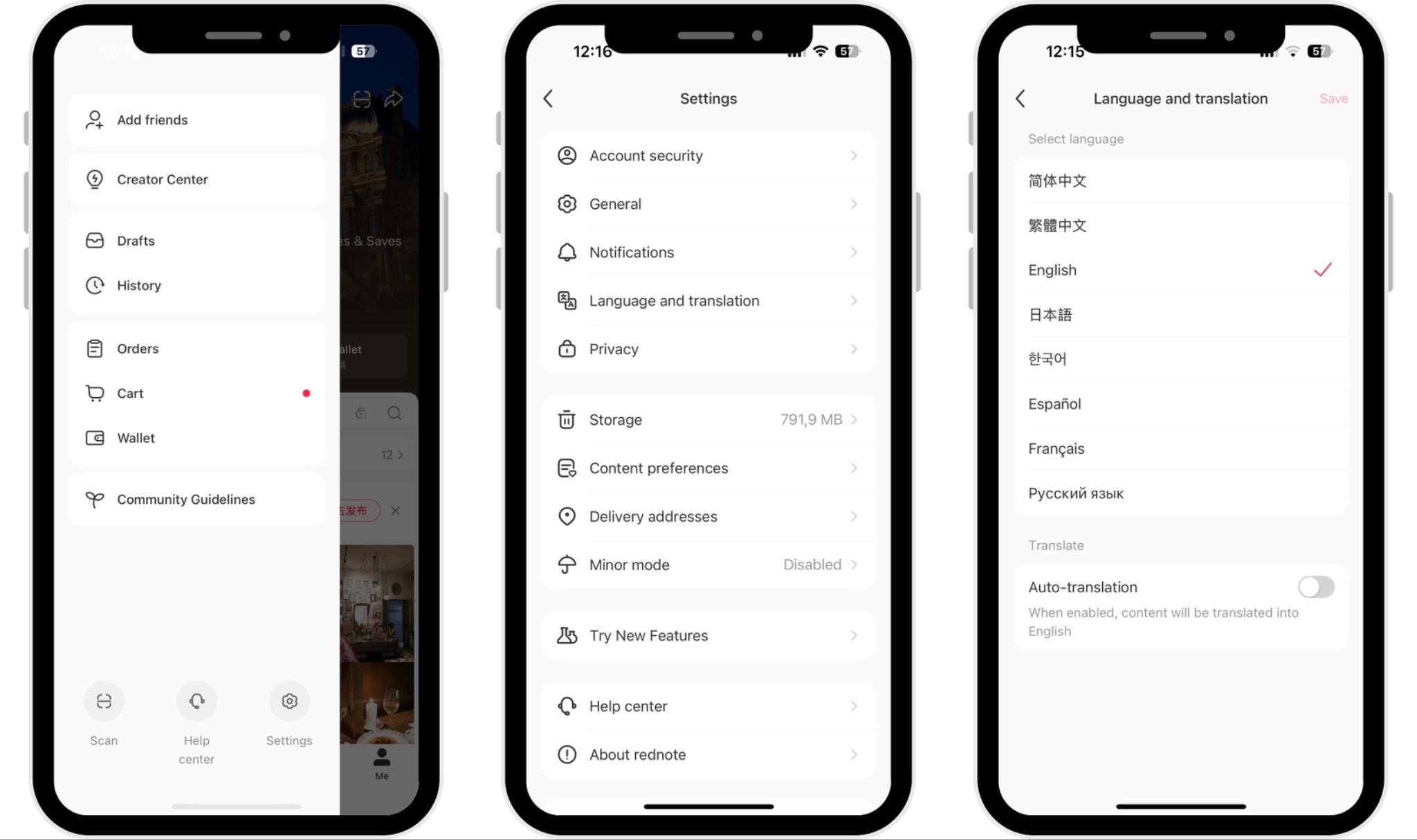
How to change language and customize Rednote settings
After creating your account, it's worth reviewing several settings to improve your overall experience.
Depending on your region, portions of the interface may already appear in English. However, some menus and system pages may still display Chinese text. If this happens, built-in translation features on your device or browser can make navigation much easier.
You should also customize important account settings, including:
Privacy controls to determine who can view your profile and content.
Notification preferences to manage alerts.
Account security options such as login verification.
Content preferences that improve recommendations.
Taking a few minutes to configure these settings creates a smoother experience from your first day on the platform.
How to optimize your Rednote profile for visibility and engagement
Building a Rednote account is only the beginning. The platform's recommendation system rewards authentic profiles that actively participate in the community.
Choose a professional profile picture and maintain the same username across your social platforms whenever possible. This improves brand recognition and helps users identify you quickly.
Your bio should communicate your expertise or interests in one or two concise sentences. Rather than trying to appeal to everyone, focus on a clear niche that aligns with the content you plan to publish.
During your first week on Rednote, spend time exploring the platform before posting frequently. Follow creators within your industry, save useful content, leave meaningful comments, and interact naturally with the community. These early engagement signals help Rednote better understand your interests and audience.
When you begin publishing, use relevant hashtags, location tags, and appropriate mentions where applicable. Instead of chasing viral topics, create valuable content that matches your chosen niche and audience.
For business accounts, consistency is particularly important. Align your content strategy with your target audience's interests, maintain a recognizable visual identity, and publish regularly to build long-term visibility rather than focusing solely on short-term engagement.
How to secure and manage your RedNote account
As with any social media platform, protecting your account should be a priority from the moment you register. Rednote offers several built-in security features that help safeguard your personal information, but users should also adopt good security habits to reduce the risk of unauthorized access.
Start by using a strong, unique password if your account supports password-based login. Avoid reusing passwords from other platforms, and consider using a password manager to keep your credentials secure.
If available in your region, enable two-factor authentication or additional login verification. This adds an extra layer of protection by requiring a verification code when signing in from a new device.
It's also good practice to review your logged-in devices regularly. If you notice unfamiliar devices or suspicious activity, remove the session immediately and change your login credentials.
Be cautious when clicking links or downloading files shared through comments or private messages. Like any popular social platform, Rednote may occasionally attract phishing attempts or scam accounts impersonating creators or brands.
Finally, review your privacy settings to control who can view your profile, send messages, or interact with your content. These settings can be adjusted at any time as your account grows.
FAQs about creating a Rednote account
Why can't I create a Rednote account?
The most common reasons include not receiving the SMS verification code, entering an incorrect country code, temporary server congestion, or regional network restrictions. First, verify your phone number and internet connection, then request a new verification code after a few minutes. If the issue persists, try registering with another supported login method or contact Rednote Support.
Can I create a Rednote account without a phone number?
In some regions, yes. Depending on your location and device, Rednote may allow registration using third-party login methods such as Apple ID or other supported authentication services. However, a phone number remains the primary registration method in most countries and may still be required for certain account security or verification features.
How do I switch from a personal account to a business account?
If you're using Rednote for commercial purposes, you can apply for business verification through the app. Navigate to your account settings, select the verification option, and submit the required business documentation. Once approved, you'll gain access to business-specific features such as enhanced profile credibility, analytics, and brand collaboration opportunities.
How much does Rednote account verification cost? Are there free alternatives?
The cost of Rednote verification depends on the type of account. Individual Professional Account verification is free, while Business Account verification costs RMB 600 per application. Business verification is valid for one year, after which businesses must renew their certification by submitting updated documents and paying the RMB 600 annual verification fee again. Please note that verification fees are non-refundable, regardless of whether the application is approved or rejected.
If you don't require business verification, you can still build a strong presence on Rednote by maintaining a complete profile, publishing high-quality content consistently, and engaging authentically with the community.
How do I make my Rednote account private?
You can control your account visibility through the Privacy settings. From your profile, open Settings > Privacy, where you can manage who can view your posts, follow your account, send messages, or interact with your content. These settings allow you to create a more private experience while still enjoying the platform.
Why is my Rednote account growing slowly after registration?
Slow growth is common for new accounts. Rednote's recommendation algorithm needs time to understand your content and audience. Focus on publishing high-quality posts consistently, choosing a clear niche, using relevant keywords and hashtags, and actively engaging with other creators. Completing your profile and maintaining a regular posting schedule will also help improve visibility over time.
Summary
Title


Go further
Explore our services and platforms


Newsletter